[Vietnamese below]
Video tutorial/ Video hướng dẫn https://drive.google.com/file/d/1h2HH5eJCcLbM3P9uTSCQluBqNtef5vE_/view
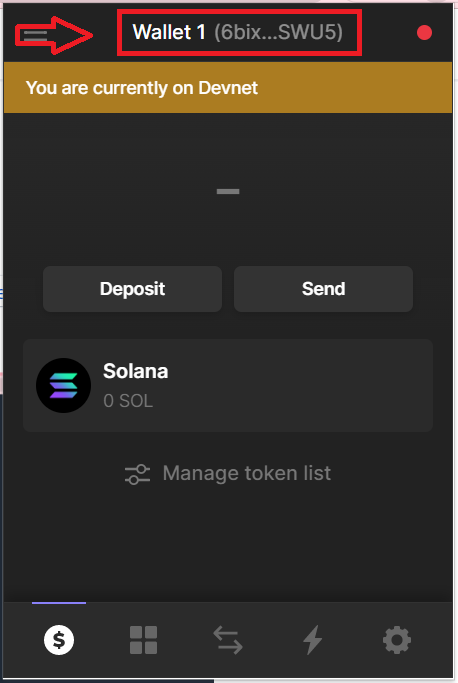
Step 1:
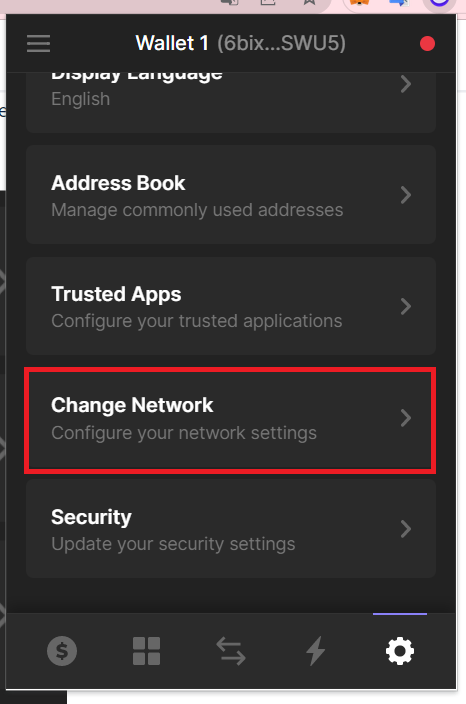
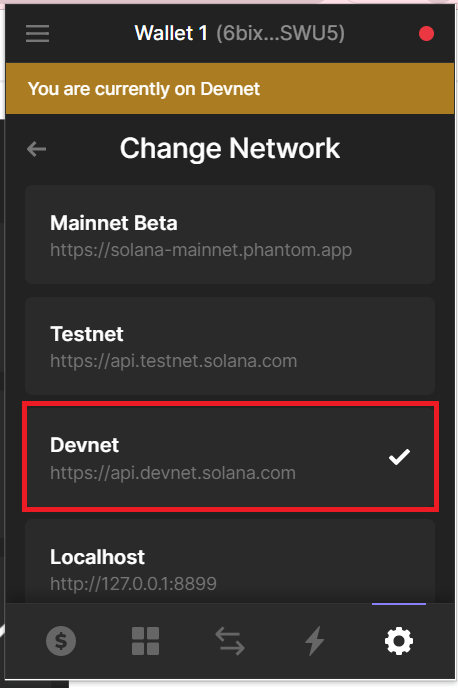
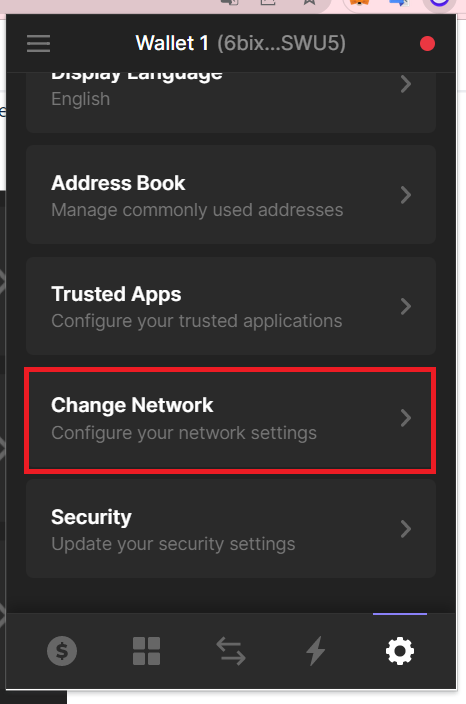
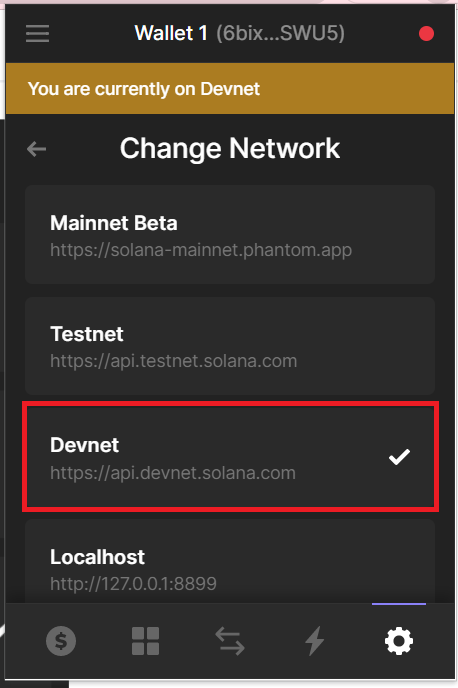
Log into your Phantom account, and navigate to Settings (the gear icon as shown in the below image) -> Change Network -> Devnet.
Step 2:
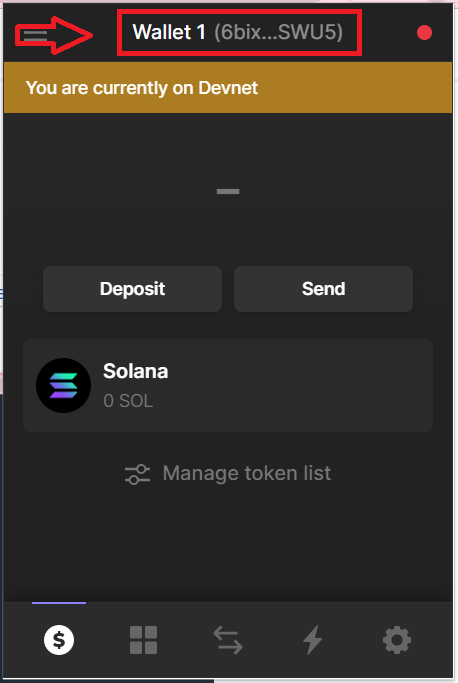
Click to copy your wallet address.
Step 3:
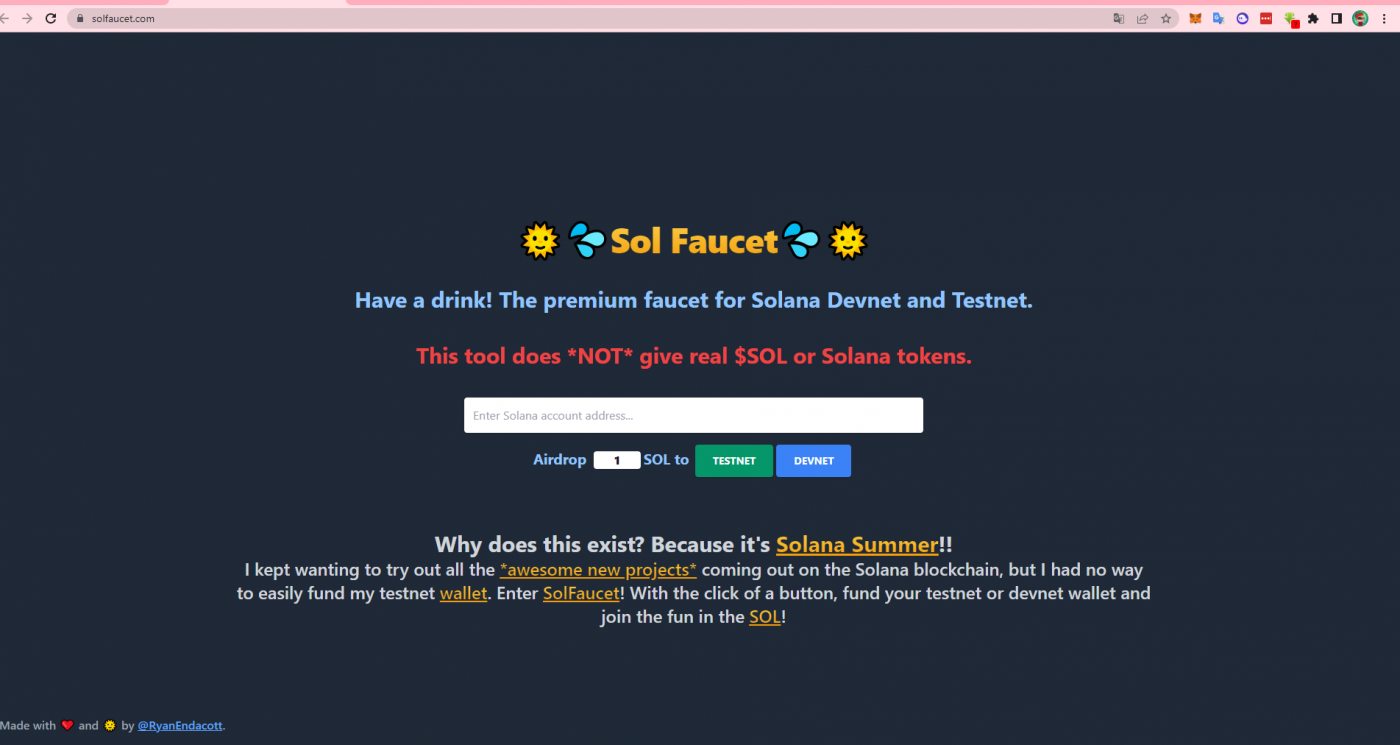
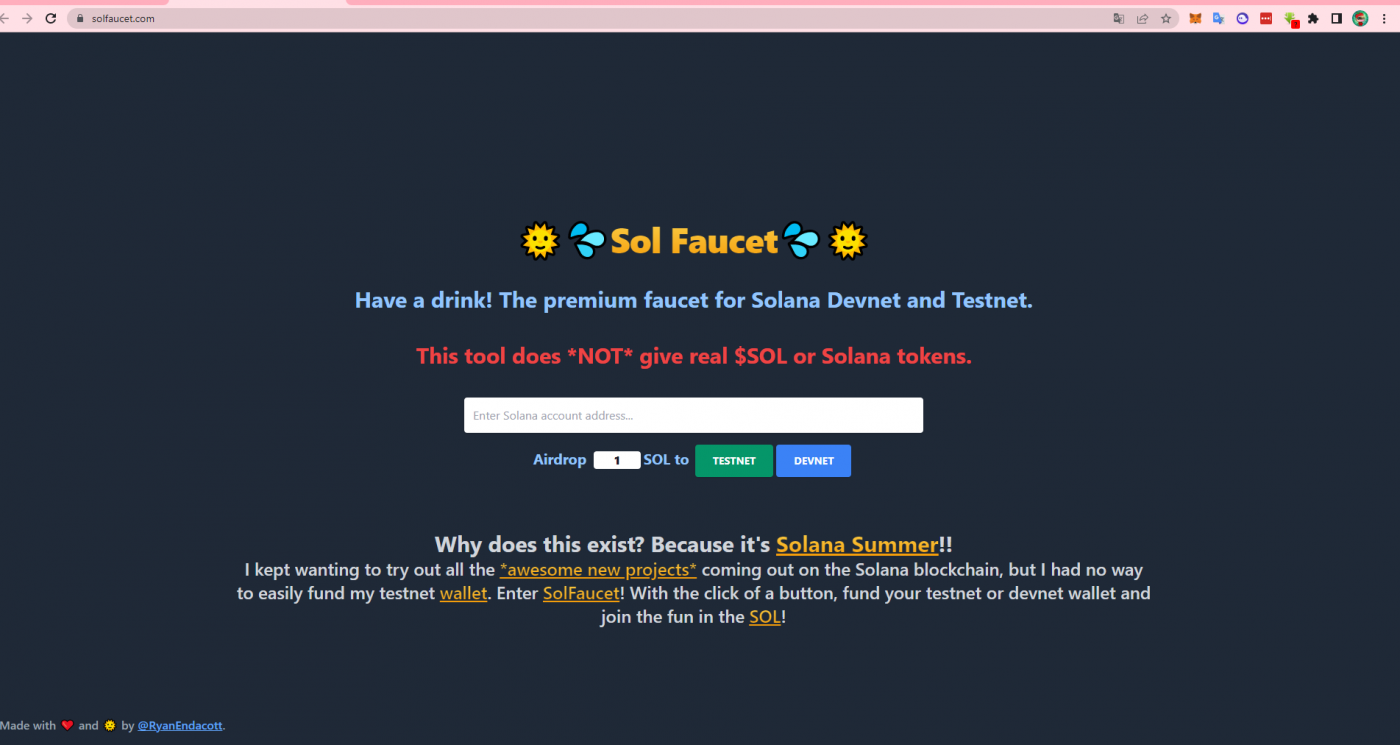
Click the link https://solfaucet.com/
Step 4:
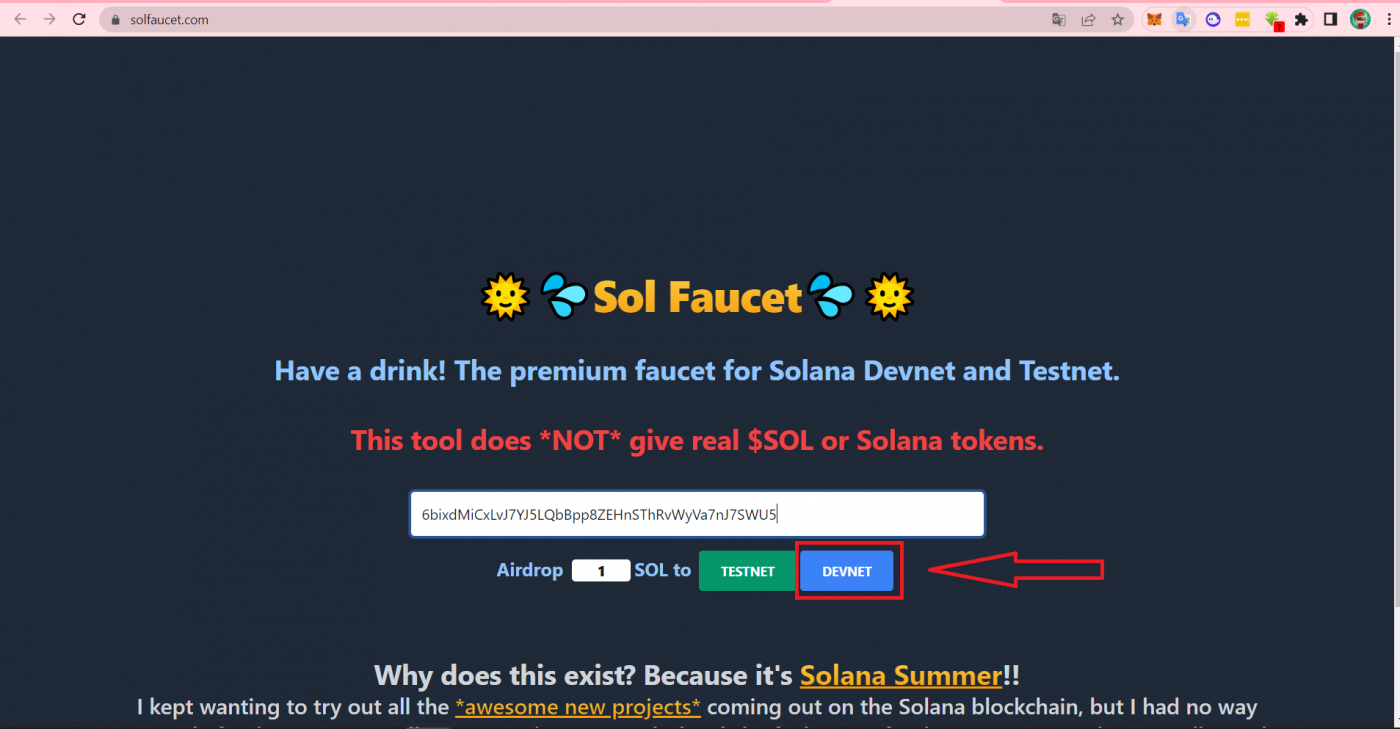
Paste your Phantom wallet address into the Solfaucet website.
Type “1” or “ 2” into the Airdrop SOL box, then click “Devnet”
Notice: If you type 3 or more into the box, you won’t receive any SOL.
Step 5:
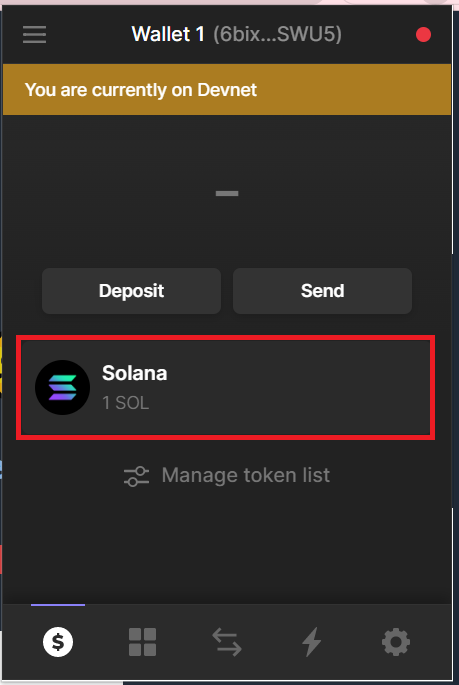
Check your Phantom wallet to see your new SOL balance.
Repeat the steps above to get more $Sol in the Devnet network
Note $Sol in the Devnet network has no conversion value.
Bước 1:
Vào ví Phantom → Vào setting( biểu tượng răng cưa như hình) chọn “ Change network” chọn “Devnet”
Bước 2:
Click vào địa chỉ ví → Địa chỉ ví đã được sao chép
Bước 3:
Click vào link https://solfaucet.com/
Bước 4:
Dán địa chỉ ví Phantom vào trang Solfaucet.com
Trong ô Airdrop điền “1” hoặc “2” sau đó click “Devnet”
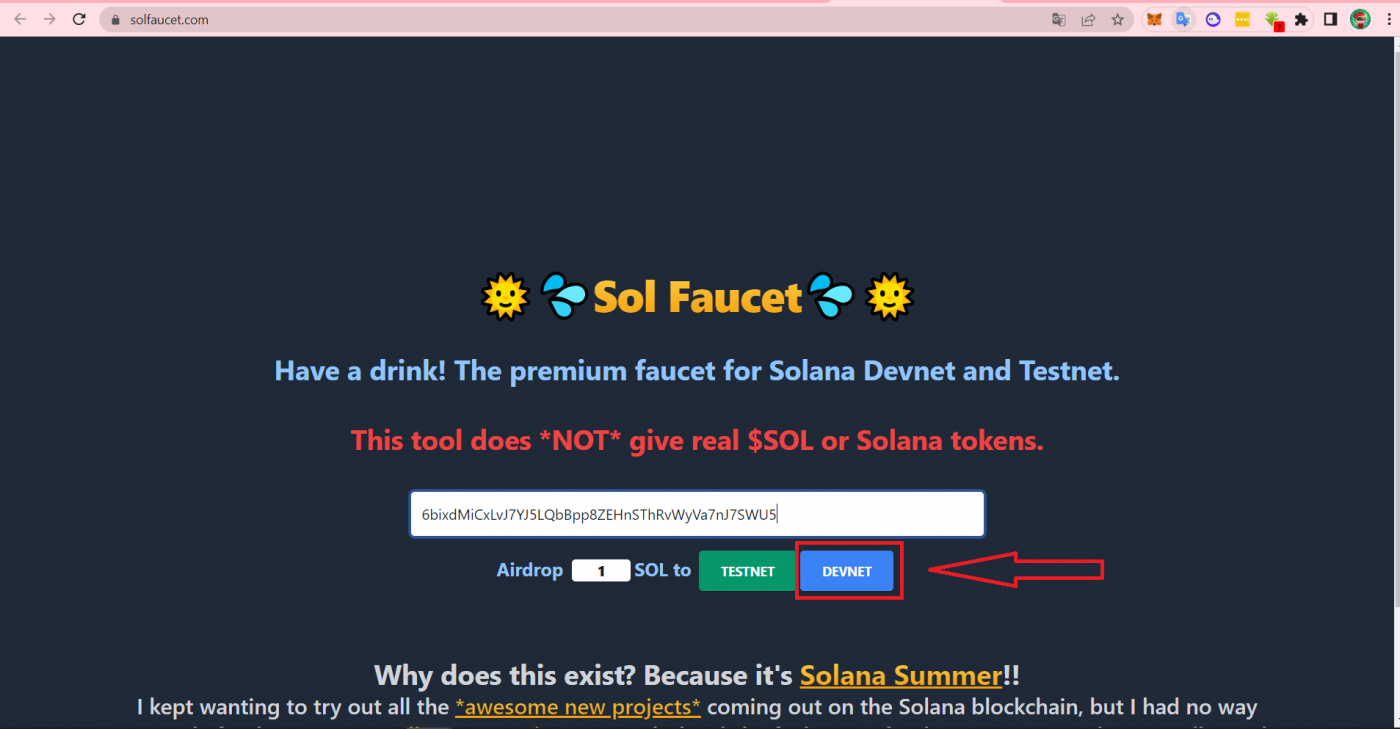
Lưu ý : Điền “3” Sol trở lên sẽ không nhận được.
Bước 5:
Quay trờ lại địa chỉ ví Phantom sẽ thấy hiển thị số dư Sol vừa được nhận thêm.
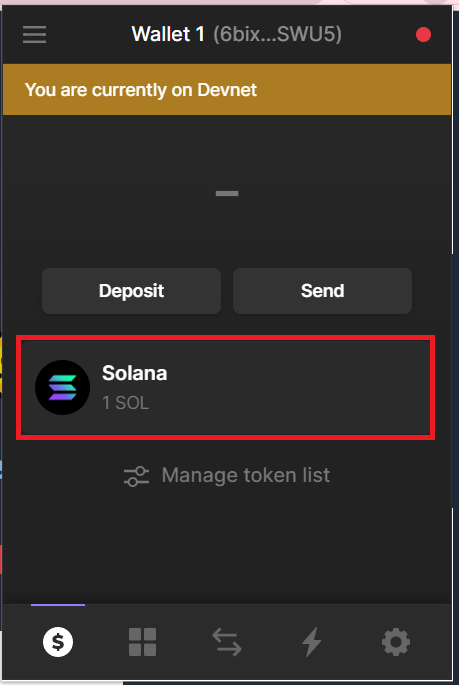
Lặp lại các bước trên để nhận thêm $Sol trong môi trường Devnet
Lưu ý $Sol trong môi trường devnet không có giá trị quy đổi
The post Guilds And Tips On Claiming SOL (Solana Faucet) | Hướng Dẫn Và Lưu Ý Khi FAUCET SOLANA appeared first on GOGA.
source https://goga.ai/guild-tips-faucet-solana/
Comments
Post a Comment